This case study is password protected

Please enter the password to view

Incorrect password

Tuneup

An early-stage product I designed and built to help cyclists maximize the lifespan and performance of their bike components. It tracks component wear using GPS ride data, provides proactive service reminders, and reduces the guesswork in maintenance timing.

Project Type

  • Product design

Role

  • Design: experience, architecture, branding / Marketing content & strategy / business operations
Tuneup hero image

The High Cost of Drivetrain Maintenance

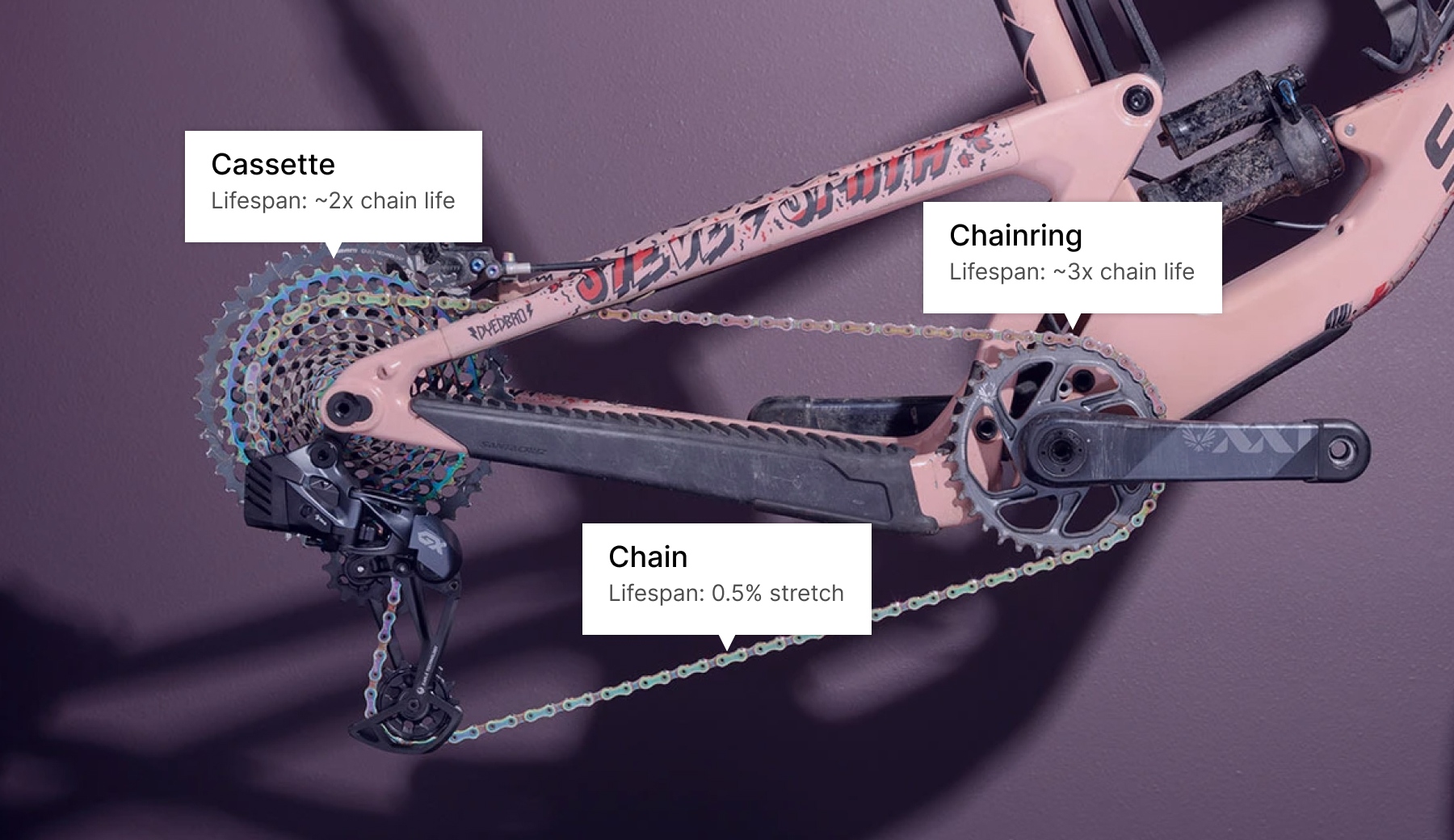
SRAM’s Eagle drivetrain has dominated the mid-to-high-range mountain bike market for nearly a decade. While the system has devoted fans, it comes with a significant drawback: replacement parts are expensive. A single cassette costs $200-$500.

SRAM Eagle cassette, chain, and chainring

Lifespan predictability makes the high cost even worse. Depending on riding conditions, maintenance habits, and how worn other drivetrain components are, a chain might last 600 miles or over 2,000 miles. Each drivetrain component wears at a different rate, and letting one part deteriorate too much drastically shortens the lifespan of the others.

After burning through components faster than expected, I wanted to understand exactly how long my parts were lasting and what I could do to extend their lifespan.

600 vs 2,000 miles shown spanning across the US

Existing Solutions & Opportunity

Even though my experience had been with the SRAM Eagle, most drivetrains share these characteristics and there were already solutions addressing component and maintenance tracking.

Two apps dominated this space: ProBikeGarage and Maintrack. Both offer comprehensive functionality: component profiles, automatic tracking via Strava GPS data, service reminders based on usage, and advanced features for those who swap parts for racing or indoor trainers.

Despite working like a 1900s Model T, the apps clearly provided value: ProBikeGarage alone had 100,000-500,000 downloads, nearly 2,000 Android reviews, a $4 iOS price tag, and roughly 20,000 new users in the past year.

ProBikeGarage and Maintrack

Identifying the Gap

However, using these apps revealed significant usability friction:

The learning curve felt disproportionate to the value, especially for an app you might only check a few times per month.

Audit of current solutions

Reading the Market Signal

Even with its usability issues ProBikeGarage got 4.6★(IOS)-4.8★(Android) ratings. Users were rating the solution highly and wanted the functionality badly enough to tolerate significant friction.

My hypothesis: Within the niche of people who fastidiously maintain their bikes, many users were bouncing during onboarding or abandoning after initial frustration. A tool with feature parity but substantially better execution could reduce this adoption barrier.

The cycling community is polarized around tracking, and I wasn’t trying to convince skeptics. Instead, I was betting that execution quality could capture more of the existing demand that ProBikeGarage had validated.

Working Within a Niche

Through conversations with cyclists and combing online forums, I realized that the most engaged people were already giving feedback in app reviews. Rather than chase broad validation, I focused on the demonstrated market and mined existing app reviews to extract:

Collecting feedback from app reviews

I reserved 1:1 interviews for usability testing, not concept validation. I tested task completion with 5 people who had varying levels of maintenance knowledge by simulating scenarios drawn from reviews and my own experience. This approach let me validate whether my design decisions actually reduced friction, even without access to an existing user base.

Design Strategy

My strategy was to provide core capabilities with improved execution, then once core needs were met, add more advanced functionality with real user feedback.

I worked through the core workflows using rapid wireframing, guided by patterns from app reviews and usability issues I’d identified. This process surfaced the main design challenges that stood in the way of improved execution

Designing the UX

Wireframing several iterations of core features, revealed a number of UX challenges with 4 that stood out as challenging:

Wireframing process

Relationship between parts and service

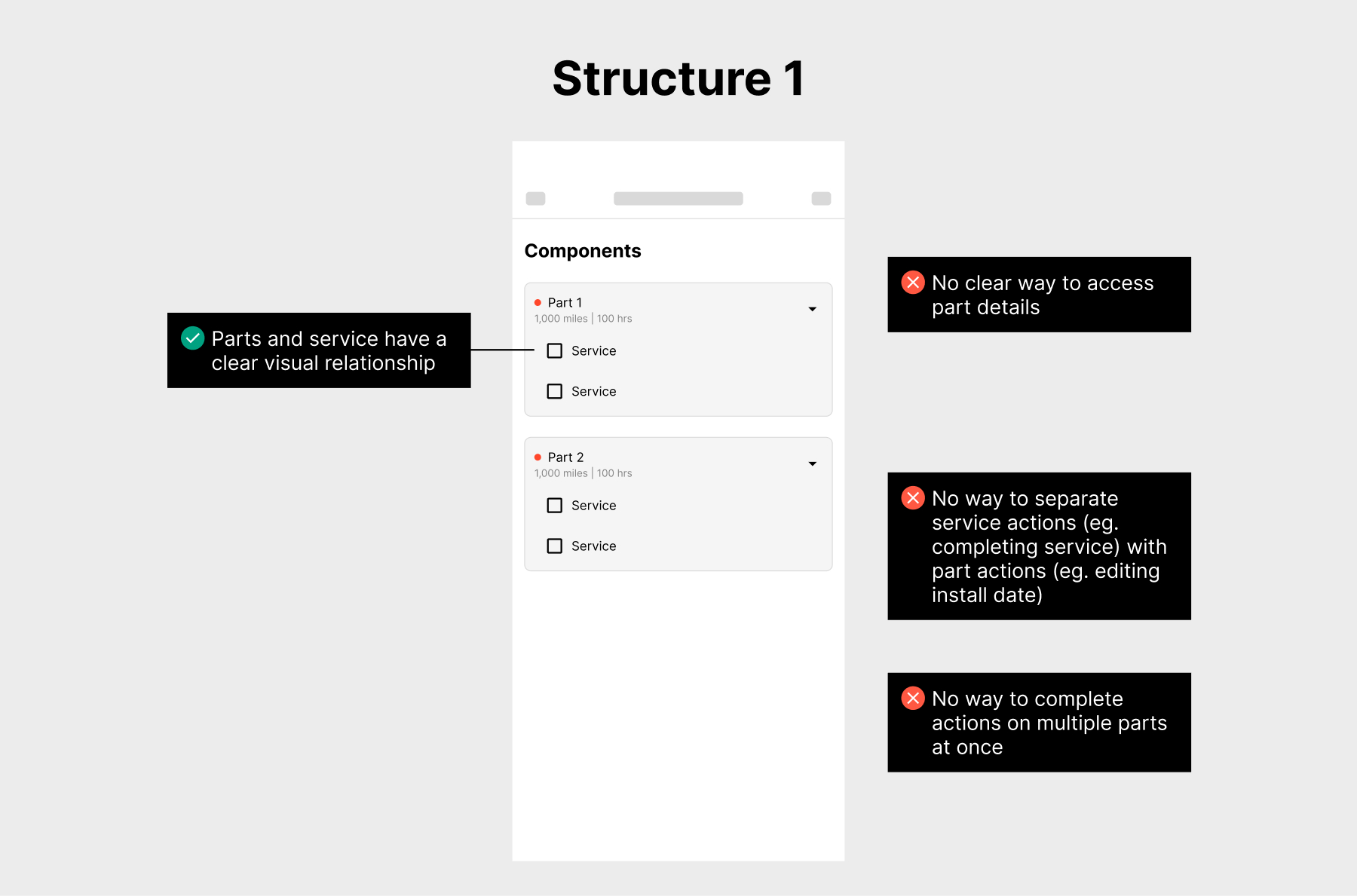
Initially, I placed components and service reminders in the same view. It seemed logical to show what maintenance was due for each part. This created immediate problems:

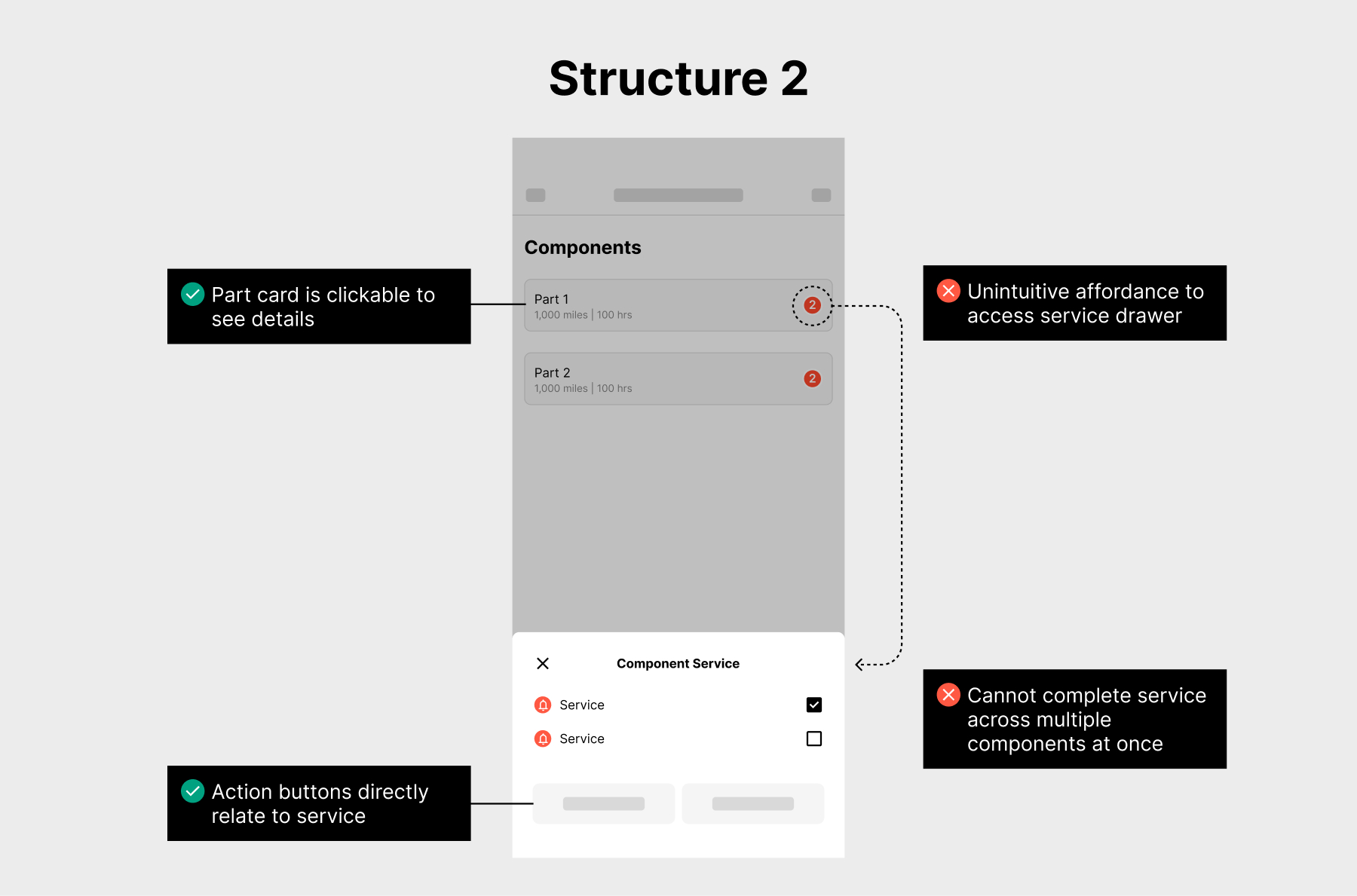
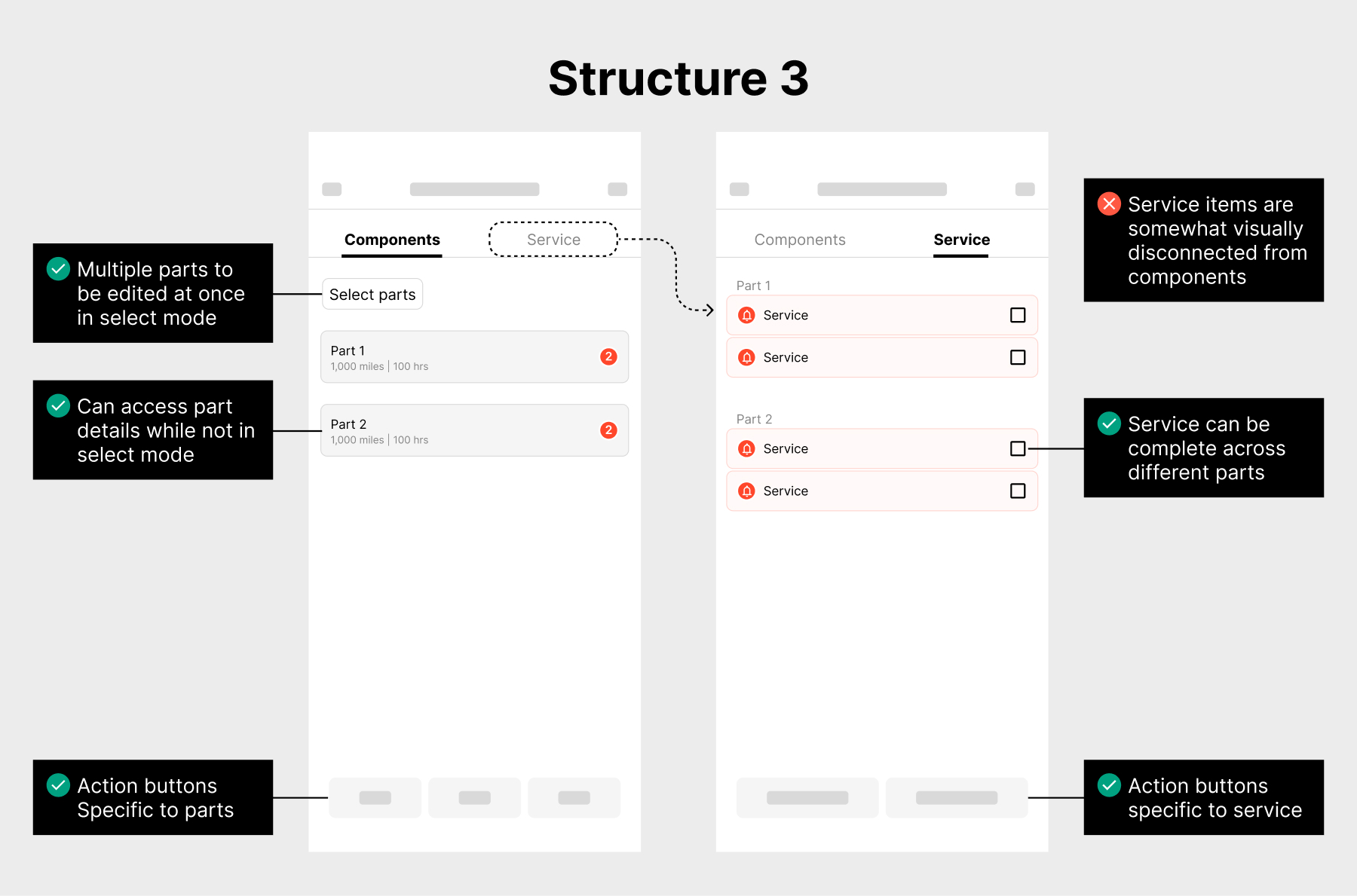
I mapped out other possible architectures to solve these constraints:

Exploring component and service layout structure options

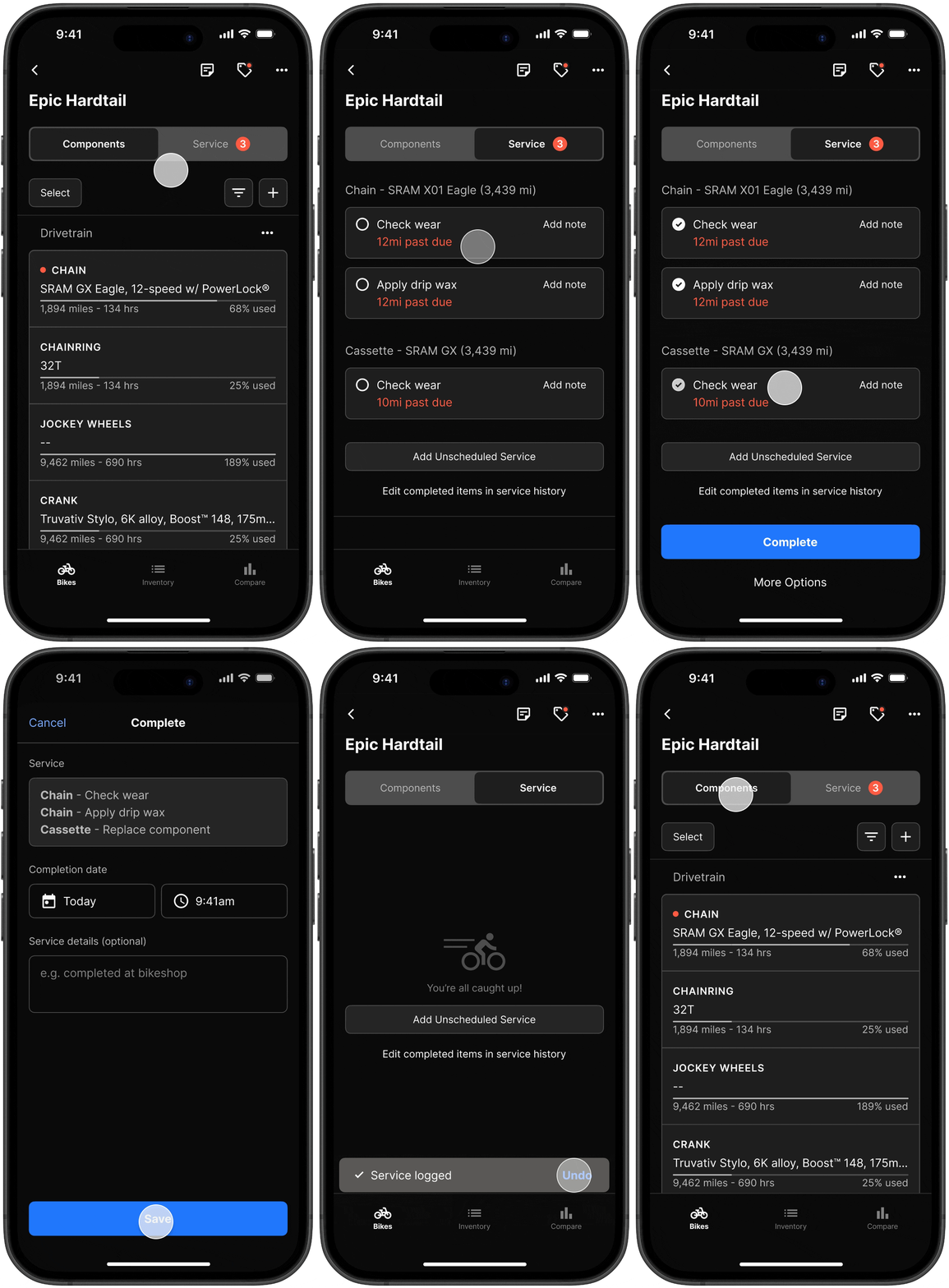
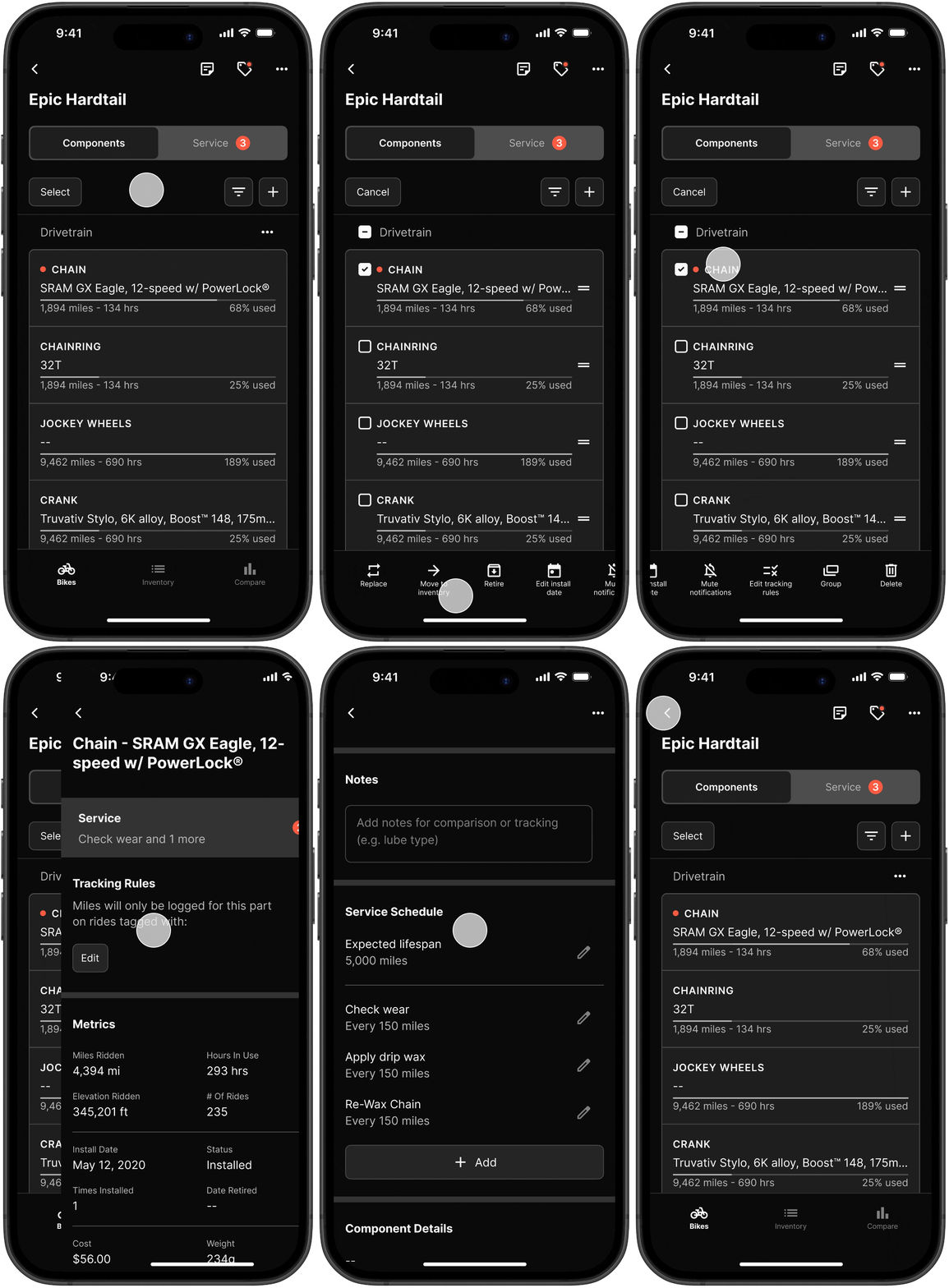
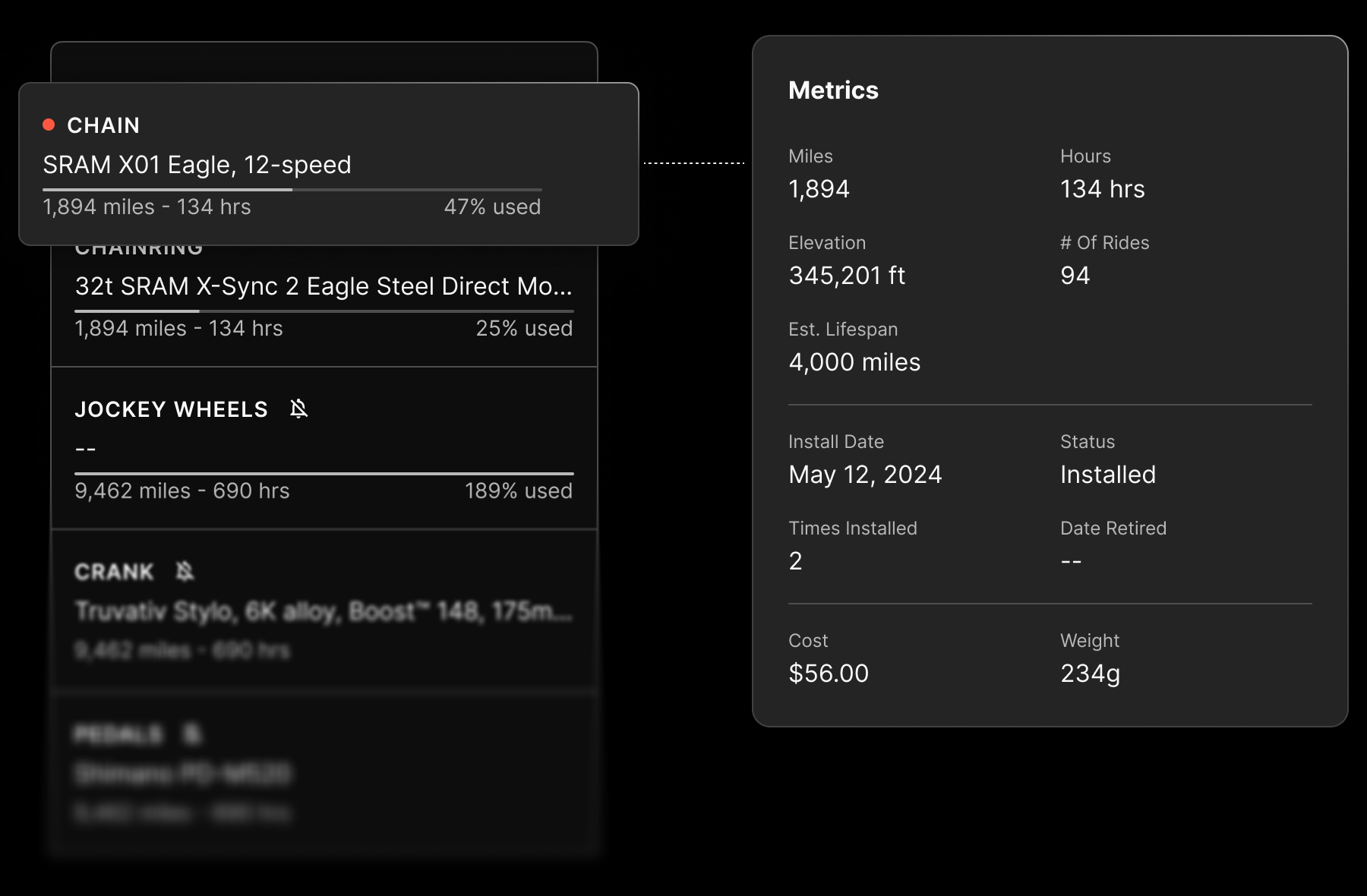
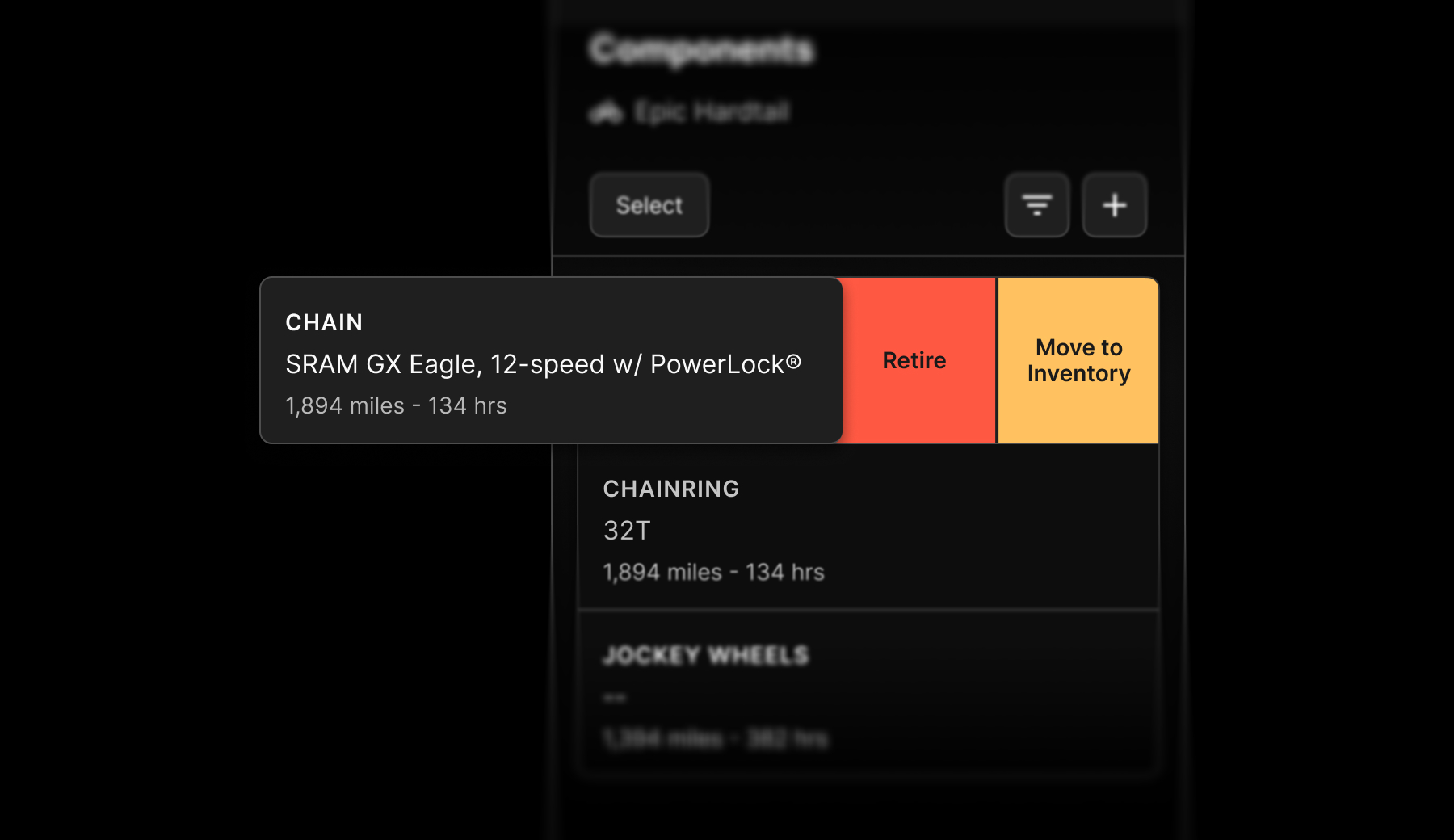
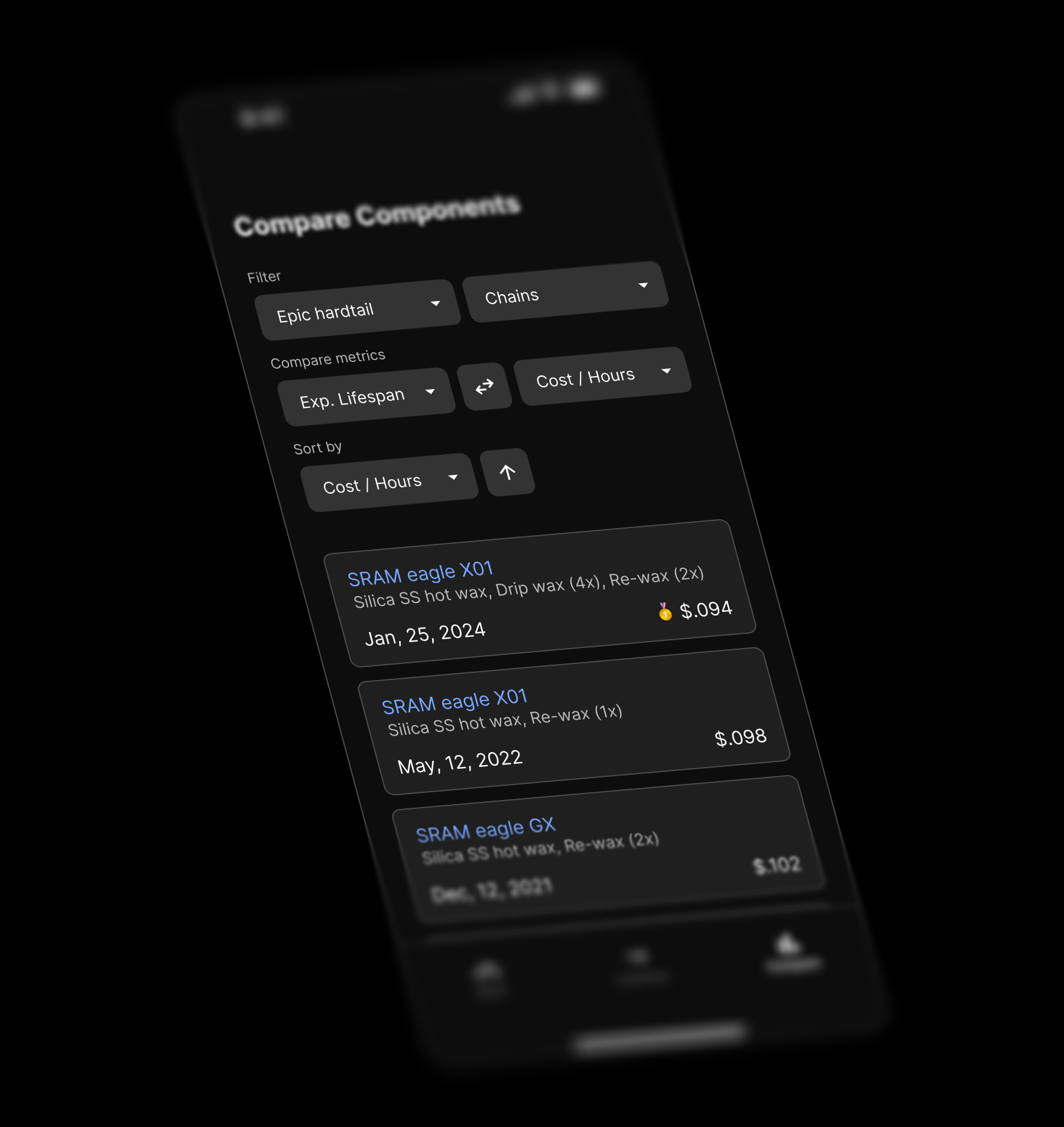
Option 3 resolved the interaction conflicts by separating components and service reminders into distinct tabs. This created clear organization, prevented mixed list items, and made multi-select editing possible. I refined the design to support filtering, adding new components, and dedicated action buttons for each tab.

Component page
Component multi select
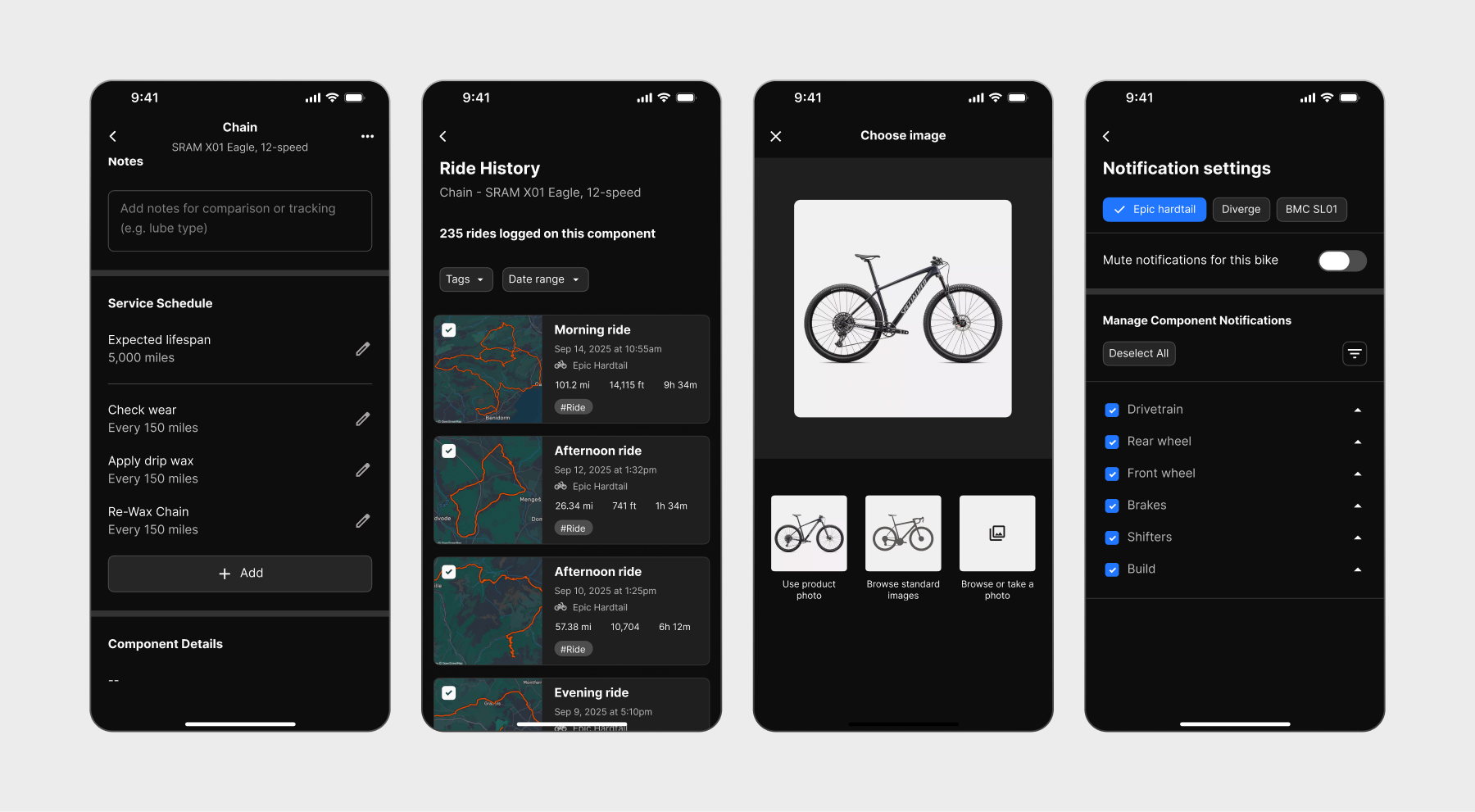
Component detail
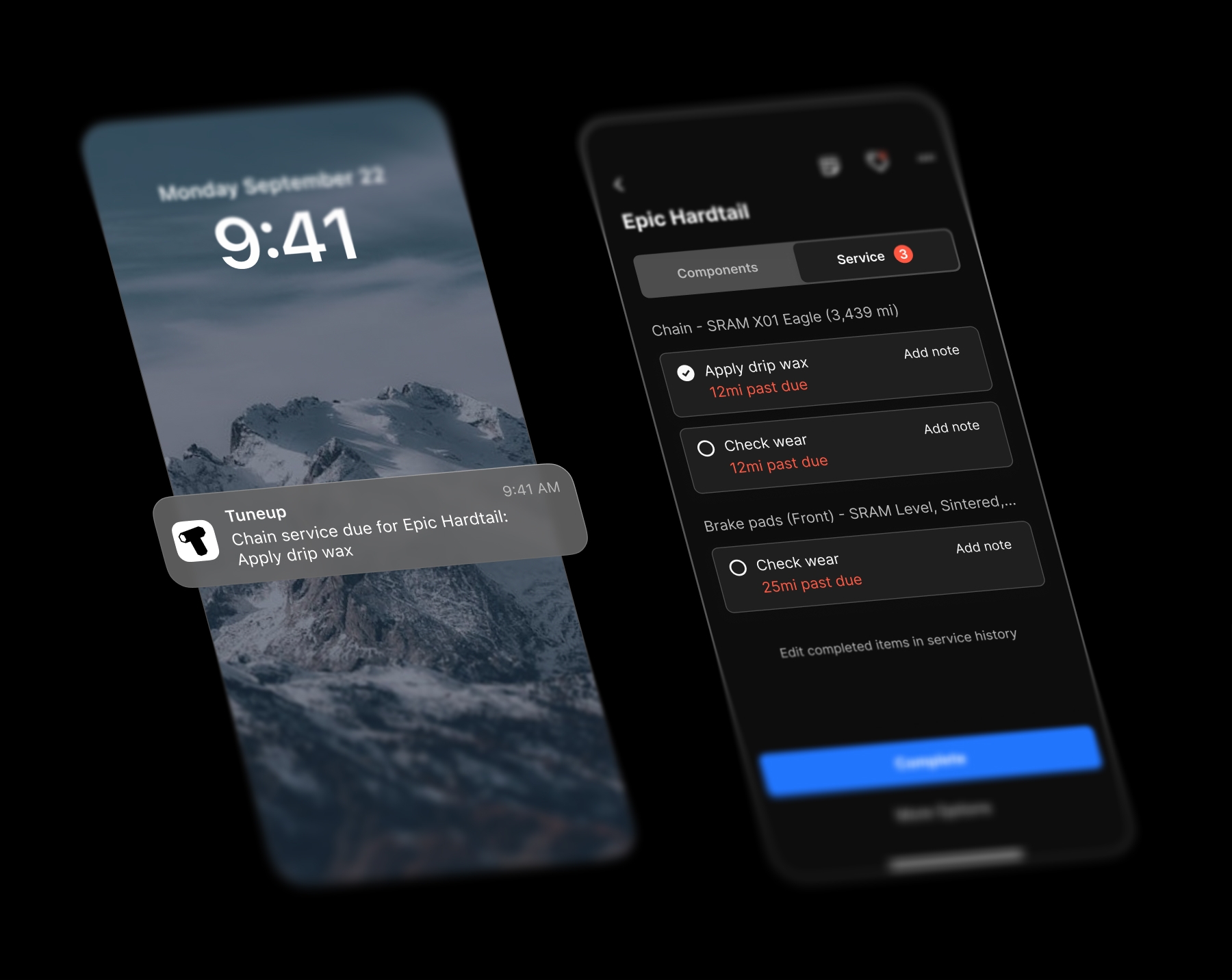
Service page

Implementing Grouping with a Simple Mental Model

Grouping is critical because parts can be assemblies that should be editable as one unit. For example, a wheel includes a hub, rim, and tire- it would be a huge pain to edit all of them separately.

But there are many valid ways to conceptualize groups, and they often overlap:

Groupings of parts often overlap

A cassette is part of the drivetrain (components that wear together as a unit), but it’s also attached to the rear wheel (components that move as one assembly). This raised questions about how accurately groups should mirror physical bike structure:

I looked for the mental model that provided the most functional benefit and realized the primary purpose of grouping is editing assemblies efficiently, with organization being secondary. That prioritization led me to structure groups as simple section headers with no nesting. This made removal, editing install dates, and applying tracking rules straightforward for groups while creating the simplest mental model to grasp.

Grouping models

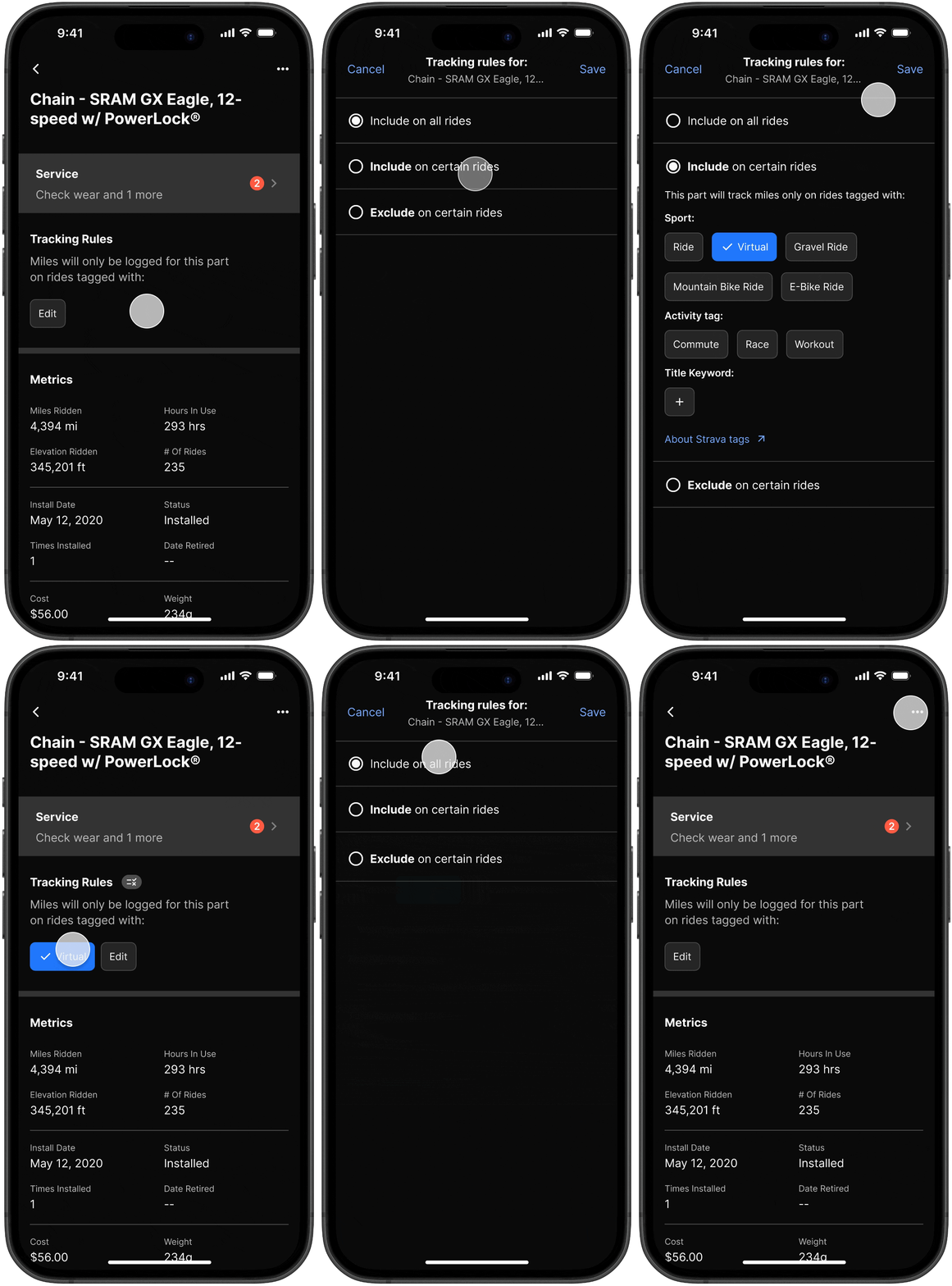
Tracking Rules for Mixed Usage

Cyclists often ride indoors with their bike on a turbo trainer or swap wheels for different conditions. Without tracking rules, the app would incorrectly add mileage to parts that weren’t used.

outdoor bike setup
Indoor turbo trainer set up

The challenge was letting users track the right parts without making them solve logic problems or understand complex trigger conditions.

Strava (acting as a database for rides) has multiple trigger methods—bike profiles, activity types, and manual tags. GPS head units and indoor training platforms add more variables since you can set bike profiles before data syncs to Strava.

I split the problem into triggers (what type of ride?) and actions (should this component log mileage?).

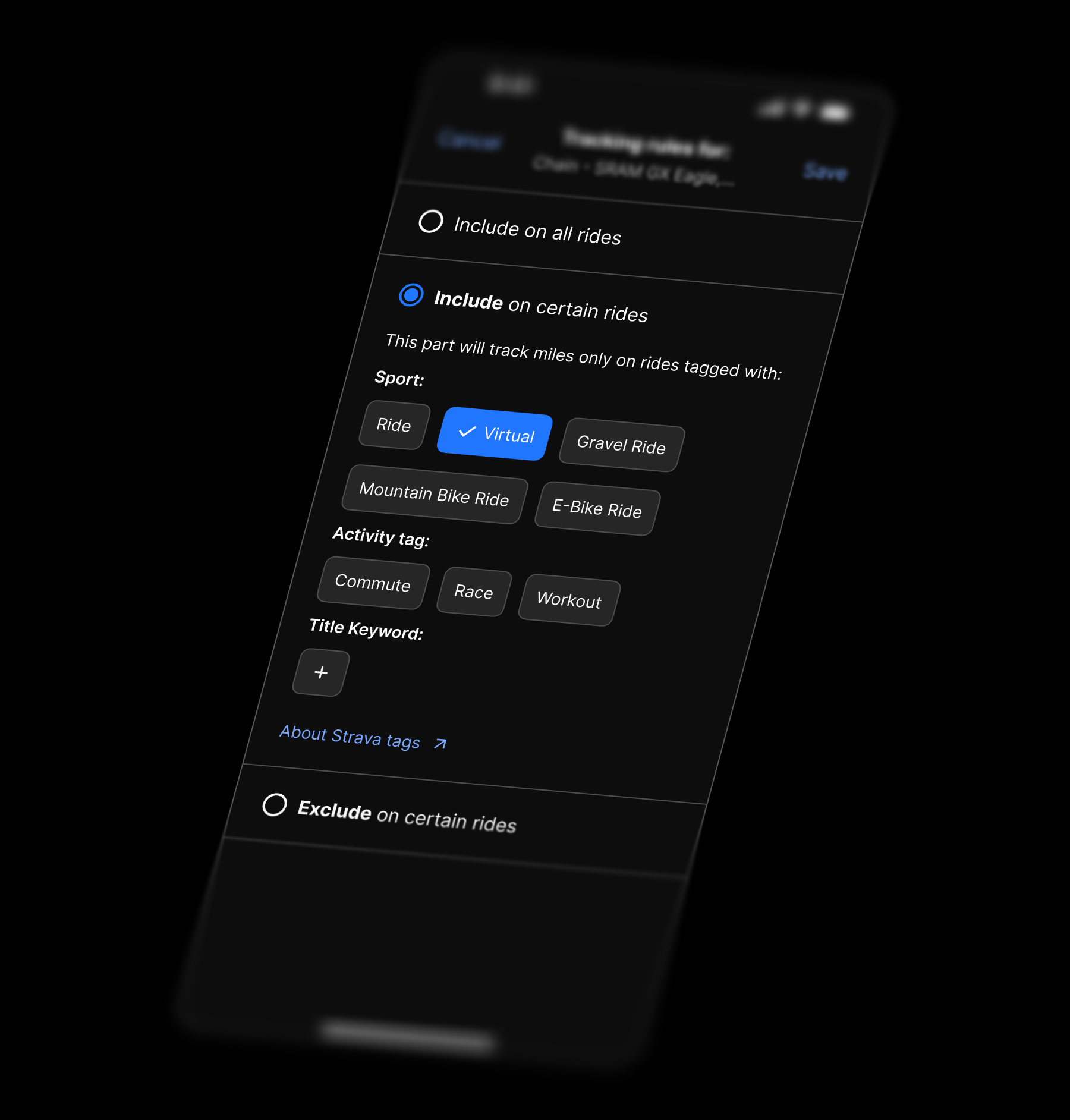
Because there were many possible trigger methods, I used Strava tags as the default since they’re prominent in the interface and created documentation for edge cases with different tracking devices. I also mirrored Strava’s tag grouping to make the connection clearer.

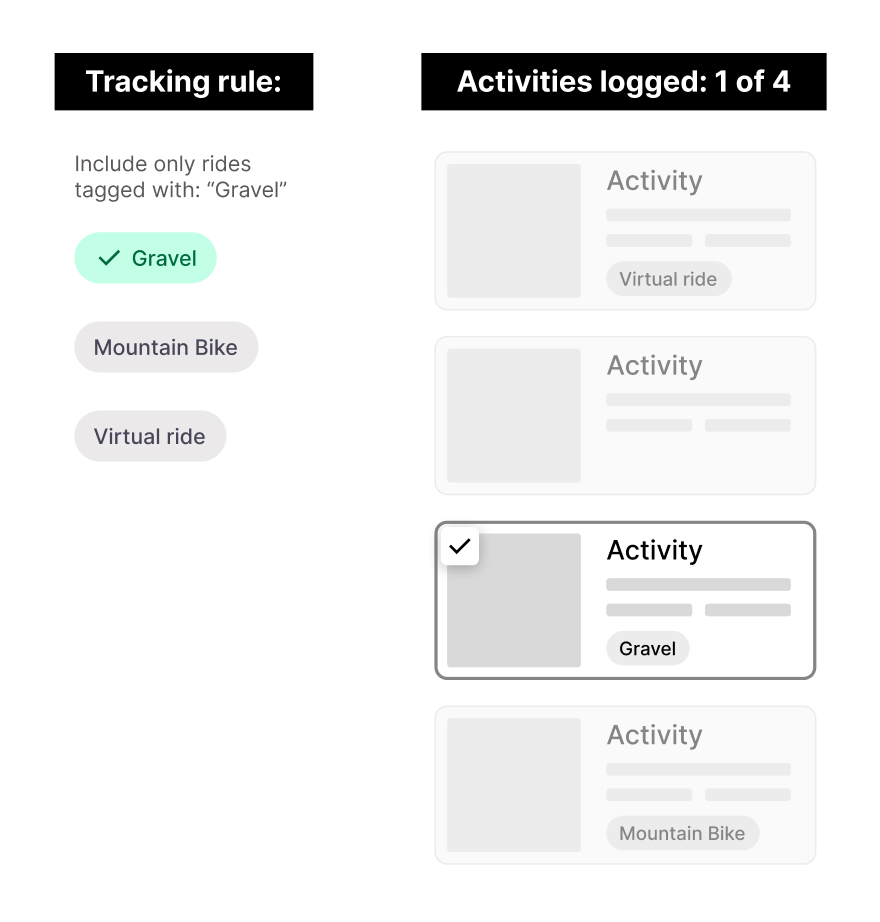
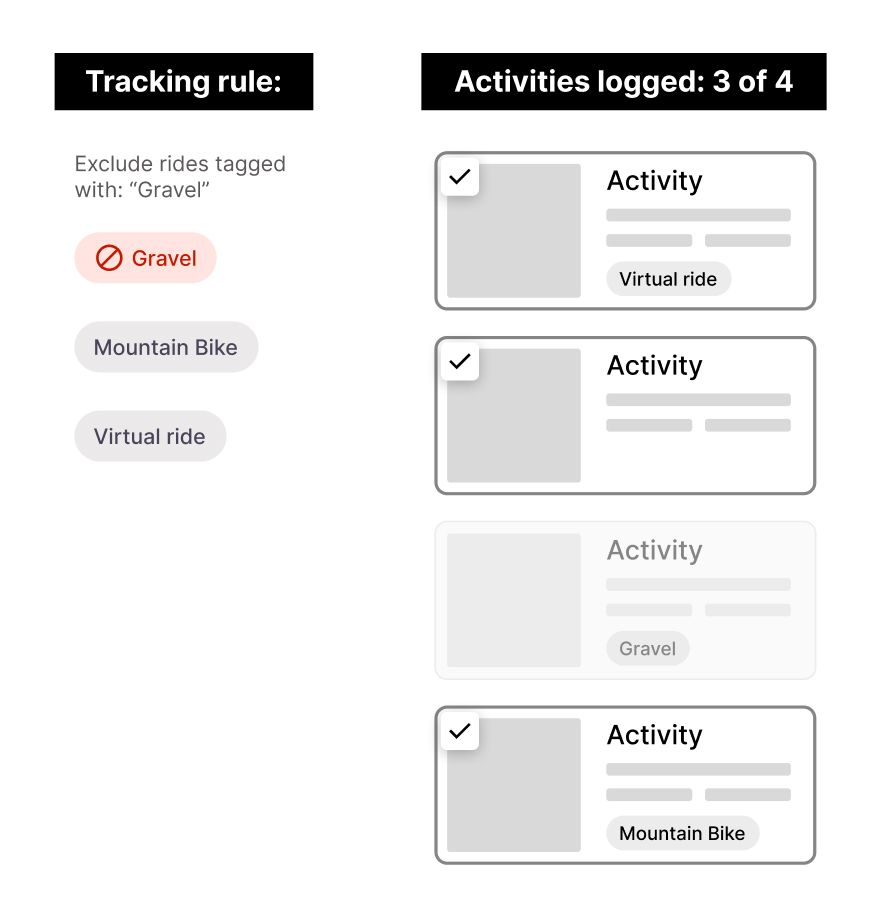
For actions, I realized that including rides with a specific tag automatically excludes everything else.

Inclusion rules naturally exclude other tags
Exclusion rules only exclude the targeted tag

This meant there were 3 distinct rule types:

Users choose whether to include or exclude, then identify those rides with tags.

When a rule is set, an icon appears on the component card to indicate it’s not logging all usage.

Tracking rules modal
Inclusion rules
Inclusion rules

Outcomes

The app is not yet in beta, so I have limited metrics. For now, here’s a cursory comparison of ProBikeGarage and Tuneup for three common actions:

Replacing a part

PBG: 5 steps | Tuneup: 3 steps

Completing service

PBG: 4 steps | Tuneup: 3 steps

Grouping parts

PBG: 9 steps | Tuneup: 3 steps

← Back to Portfolio

Next Project

At-Home Dialysis

At-Home Dialysis

Reducing patient anxiety and nurse burden for in-home hemodialysis treatment.

View Case Study →